Drop your screenshots here
PNG, JPG up to 10 MB each
wp-dashboard.png
pages-list.png
editor-view.png
3 screenshots ready
The problem
Handovers fail because the knowledge never gets written down
Every team transition — a role change, a client wrap-up, an employee departure — is a moment where critical knowledge should transfer. Usually, it doesn't.
Knowledge walks out the door
When someone leaves or moves on, they take their process knowledge with them. The team is left guessing how work actually gets done.
Writing it up takes too long
Everyone agrees documentation matters. Nobody has time to write it properly. So it never happens — until it becomes a crisis.
Guides that no one can follow
Rushed handover notes are vague, incomplete, or skip steps. The person receiving the work still has to figure it out themselves.
How it works
Capture the work. Get the guide.
Three steps is all it takes to go from scattered knowledge to a handover guide your team can actually follow.
Upload Screenshots
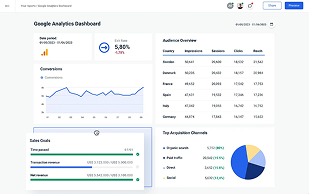
Drop in screenshots of your workflow as you do it — no formatting, no setup.
Add Context
Context note
Log in, find monthly reports, share with marketing team.
One line of context is all the AI needs to understand what the task is for.
Generate Guide
The AI reads your screenshots and writes a full step-by-step guide in seconds.

Average time to create a handover guide: under 5 minutes
What you get
A complete handover guide your team can follow from day one
Every guide is structured, numbered, and tied to the screenshots you uploaded. Share a link, export as PDF, or hand it over directly — whoever takes over the work hits the ground running.
Monthly client reporting — handover guide
Log in to the reporting dashboard
Go to analytics.clientname.com and sign in with the shared credentials stored in the credentials vault under "Client Reporting".
Export the monthly summary
Click Reports → Monthly Summary. Set the date range to the previous calendar month. Click Export as PDF.
Add commentary to the report
Open the PDF in Acrobat. Add a text box below the headline numbers explaining any significant changes from last month.
Send to the client
Email the completed PDF to the contact listed in the project brief. Use the standard subject line: "[Client] — Monthly Report [Month Year]".
Who it's for
Built for every team that hands work over
Client handover packages
When a project wraps, hand over every system, login, and process your client needs to run things — with guides they can actually follow without calling you.
- CMS and website walkthroughs
- Ad platform guides
- Login & credentials handover
Role transition guides
When someone leaves or moves on, don't let their knowledge leave with them. Turn what they know into step-by-step guides the next person can pick up immediately.
- Offboarding documentation
- Process and SOP capture
- Tool and system walkthroughs
Recurring task documentation
Document the recurring work only one person knows how to do. Build a knowledge base that survives staff changes and keeps operations running smoothly.
- Monthly reporting processes
- Onboarding checklists
- Supplier and vendor guides
Security
Your handover guides stay private
Handover documents often contain sensitive process information. We built Batonly with security as a baseline — not an add-on.
Private by default
Every guide is private to your account. Nothing is shared unless you explicitly create a share link.
Encrypted at rest and in transit
Your data is encrypted in storage and over the wire. We use Supabase with industry-standard security practices.
Row-level security
Database access is enforced at row level — users can only read and write their own data, even at the infrastructure layer.
Signed file access
Uploaded screenshots are stored in private buckets. Files are only accessible via time-limited signed URLs — not exposed publicly.